
WordPress vs Shopify for Small Business
Choosing WordPress vs Shopify for small business comes down to control, convenience, and your team’s capacity. Shopify provides a hosted store platform with built-in store management tools. WordPress can become an online store with WooCommerce, which gives you more control over hosting and site structure.
Neither option wins for every business. If you want a straightforward hosted setup and prefer one central platform, Shopify is worth evaluating. If you need a custom content-led store and want to manage your own WordPress setup, WooCommerce may be a better fit.
This guide compares the trade-offs without assuming that the same answer works in every country.
WordPress vs Shopify for Small Business
WordPress is a content management system. WooCommerce is an ecommerce plugin that adds store features to WordPress. Your hosting setup, theme, plugins, and ongoing care are part of the project.
Shopify is a hosted ecommerce platform. You create and manage your products, orders, and online store through its own system.
For a first-hand overview of a WooCommerce store, see the official WooCommerce guide: https://woocommerce.com/document/build-online-store/
For business owners, the practical question is who will manage the technical foundation. With WooCommerce, your team or developer normally takes more responsibility for the website environment. With Shopify, more of the underlying platform is managed by the provider.
That difference affects how you plan maintenance, development, troubleshooting, and future changes.
Compare Setup and Daily Store Management
A small store needs a reliable way to add products, manage inventory, handle customer enquiries, and process orders.
Shopify’s admin brings the basic store workflow into one hosted system. You still need to choose a theme, configure policies, add products, and test the checkout.
WooCommerce uses the WordPress dashboard along with its store settings. You can manage products and orders, but you must also make decisions about hosting, backups, plugin updates, and the site theme.
Shopify explains its hosted online store and available extensions here: https://help.shopify.com/en/manual/intro-to-shopify/overview
For either platform, the difficult part is often not entering products. It is preparing accurate product data, shipping rules, customer emails, and policies that match the real business.
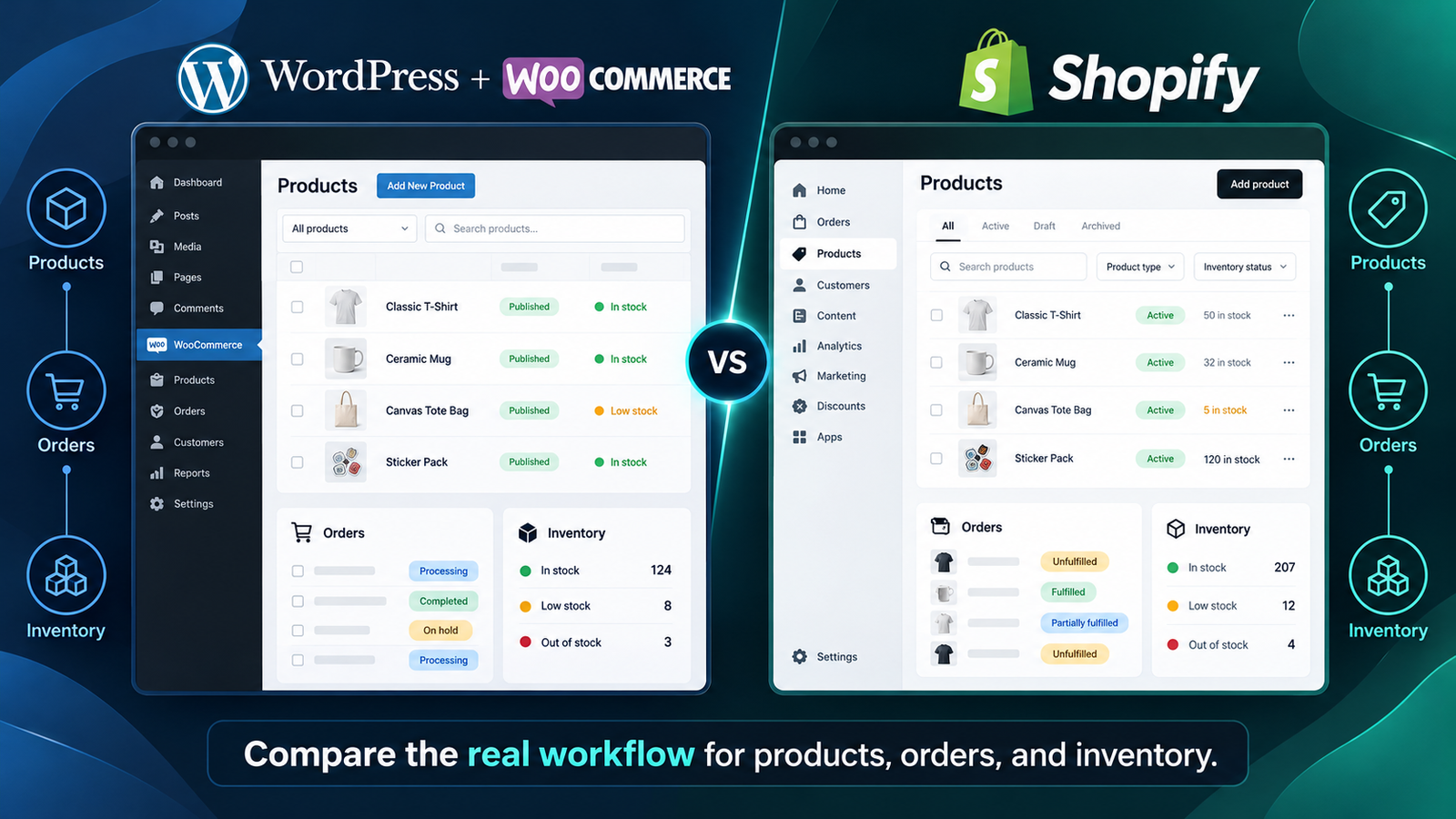
Split-view store management workflows
Create a sample product before making a decision. Test how a staff member would add a variant, edit a price, change stock, and answer a customer’s order question.
Compare Customisation and Ownership
A business may start with a simple catalogue and later need unusual product options, a wholesale section, or a custom ordering process.
WordPress and WooCommerce offer flexible development options through themes, plugins, and custom code. That flexibility can be helpful when you need content types or workflows outside a standard storefront.
It also creates responsibility. Every added plugin or custom feature needs compatibility checks and future maintenance.
Shopify has themes, apps, and developer tools for extending a store. It may cover your needs without custom development, but advanced or unusual workflows should be tested before committing.
Make a list of the five features your business cannot operate without. Compare how each platform handles those exact needs rather than comparing the total number of available extensions.
If you are considering a tailored WooCommerce build, see the development service overview: https://saidulislam.pro/services/woocommerce-development/
Compare Costs Without Relying on a Price Tag
Shopify uses subscription plans and may have additional app, payment processing, and other charges. Which fees apply depends on the plan, region, and payment setup.
WooCommerce is open-source software, but running a WooCommerce store still involves hosting, domain-related costs, development time, and possibly paid extensions or support.
A cheaper starting price does not always mean a lower operating cost. A custom feature that is easy on one platform may require extra work on another.
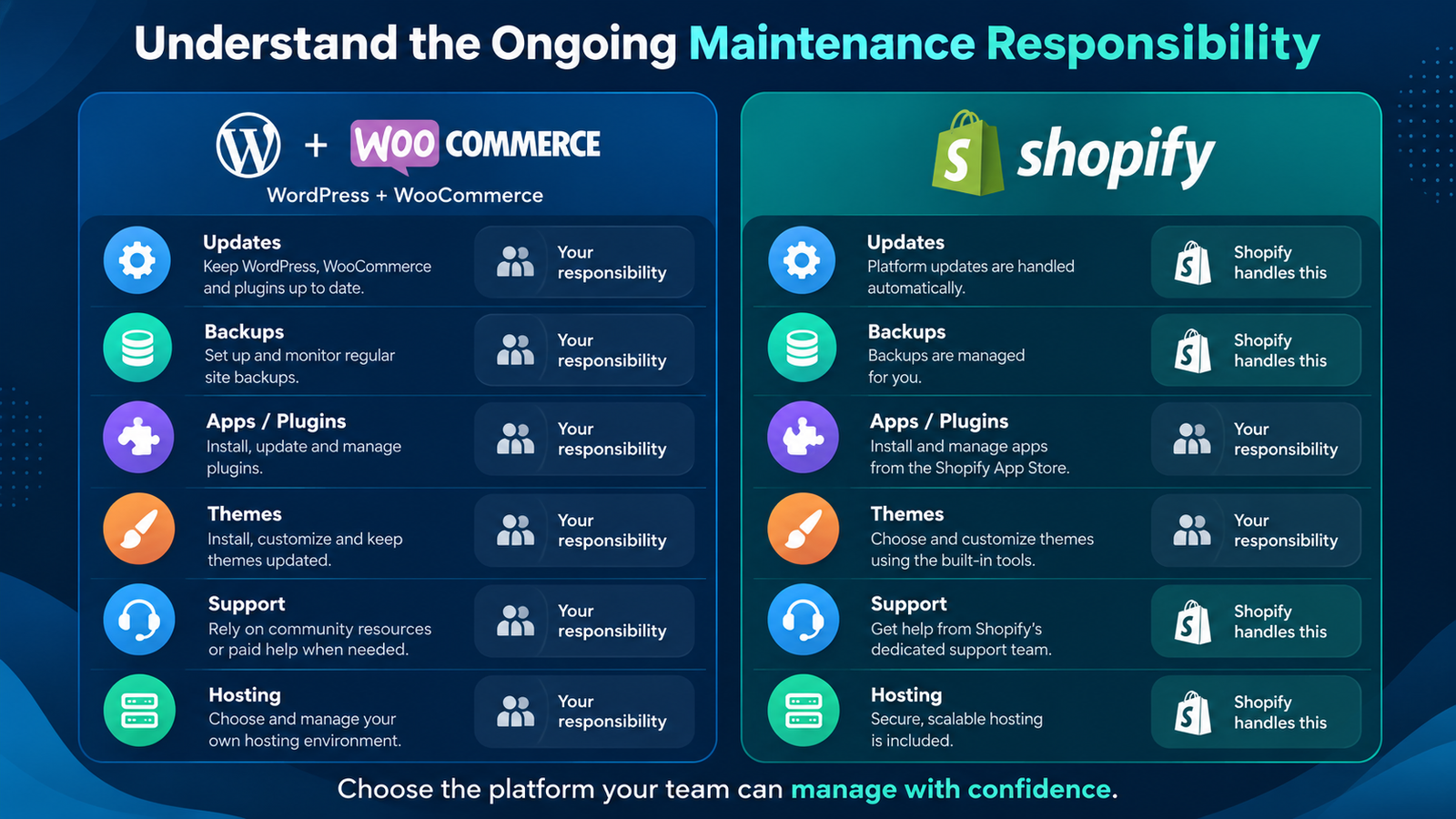
Cost planning categories with no prices
Build a 12-month budget for each option. Include the store subscription or hosting, theme, essential integrations, payment processing, developer time, backups, and support.
Avoid calculating costs from an outdated comparison article. Use official current details for the country where your business operates.
For current Shopify billing categories, see: https://help.shopify.com/manual/intro-to-shopify/pricing-plans/pricing-overview
Check Payment Options in Your Country
Payments are not a minor detail to handle after design. A store cannot operate smoothly without a provider that works for its business entity and customers.
Availability depends on country, supported business type, currency, provider rules, and the integrations you choose. Do not assume that a gateway available in the US or UK is also available for a Bangladesh-based business.
Before you pick either platform, make a short list of payment providers you can legally use. Confirm supported settlement countries, fees, payout conditions, and checkout integration requirements on each provider’s official site.
[VERIFY — EDITORIAL ONLY: Add gateway-specific names or local advice only after checking the merchant’s actual country and current provider documentation.]
The same approach applies to refunds, tax handling, and billing documents. Ask your accountant or a qualified local adviser where necessary.
Compare Shipping and Product Requirements
Both platforms can support online stores, but your shipping workflow should be planned before launch.
Write down where you deliver, which products need special handling, whether you use local pickup, and how you calculate delivery charges.
A physical product store may need weight-based or location-specific shipping. A digital product business may not require physical shipping at all.
Some shipping features depend on apps, extensions, or external services. Confirm that your required carrier or fulfilment integration is supported by the exact setup you plan to use.
Test the checkout using sample orders from the locations you intend to serve. Do not assume one shipping setting will work for all countries.
SEO and Content Management
Search visibility depends on useful pages, sound technical setup, and content that matches what customers want. It is not guaranteed by the ecommerce platform alone.
WordPress has mature publishing features. A store that relies heavily on articles, guides, and custom content may benefit from that flexibility.
Shopify includes online-store content features and blogging. That can be enough for many businesses that mainly need product pages and a smaller content library.
On either platform, plan the category hierarchy, product titles, URL structure, internal links, and content maintenance before launch.
A product page should answer real buying questions. A category page should help shoppers choose. A blog post should solve a specific problem rather than repeat the product catalogue.
For support with search structure and on-page content, review the SEO service page: https://saidulislam.pro/services/seo/
What About Store Speed and Maintenance?
Neither WordPress nor Shopify automatically makes every theme or app fast. Large product images, complex scripts, and poorly designed layouts can affect visitors on either platform.
With WooCommerce, your team typically handles WordPress core, plugin and theme updates, hosting checks, backups, and compatibility testing.
Shopify manages more of the hosting and platform infrastructure. Store owners still need to maintain product content, apps, settings, theme changes, and integrations.
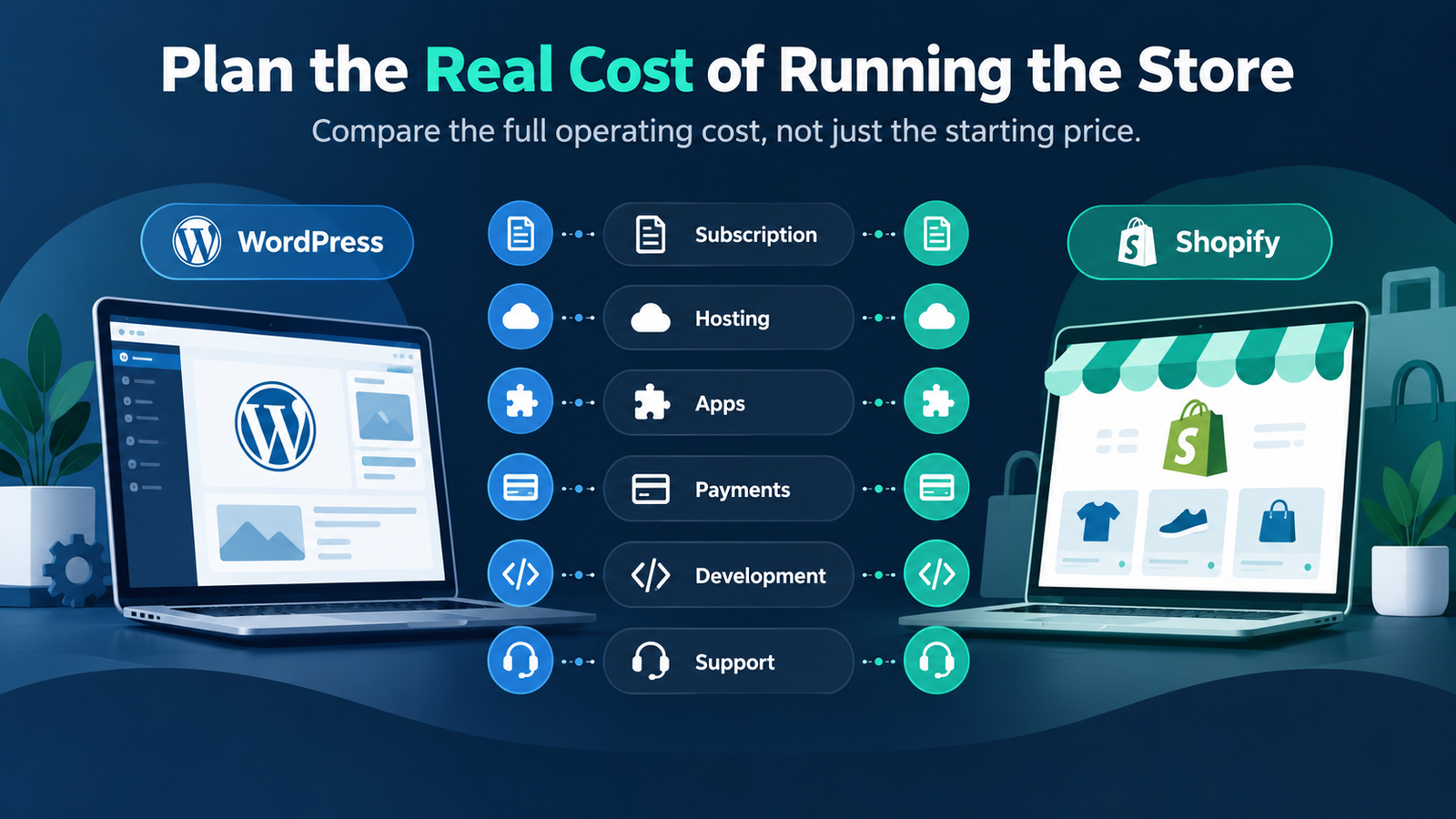
Maintenance responsibility comparison
Decide who will handle problems before they happen. Know how support will work during a sale, after an app update, or when a checkout integration fails.
If you choose WordPress, a website care plan can help clarify those responsibilities: https://saidulislam.pro/services/website-maintenance/
Which Platform Is Better for Your Small Business?
Shopify may fit if you prefer a hosted platform, want straightforward store administration, and can meet your requirements with its available themes and apps.
WooCommerce may fit if your team already works in WordPress, needs a more customised site structure, or wants closer control over hosting and code.
Neither is a safe choice until you test required payment providers, shipping needs, and the features that matter to your business.
A small store can become complex if its catalogue, fulfilment, or customer rules are unusual. A larger store can remain manageable when the workflow is simple.
Do not choose based on another company’s website alone. Write down your requirements, build a sample product, and compare the actual steps your team will follow.
A Decision Checklist Before You Commit
Use this list during your platform review:
- List must-have product features and variants.
- Confirm eligible payment providers for your business country.
- Test your expected delivery or pickup workflow.
- Compare a full year of realistic operating costs.
- Decide who will maintain the store and integrations.
- Check whether the team can update products without developer help.
- Test a sample checkout on mobile.
- Plan SEO redirects if replacing an existing site.
- Decide what data you need to export or retain.
- Ask a developer to estimate any custom requirements.
Common Questions
Is WooCommerce free?
WooCommerce is open-source software, but hosting, design, integrations, payment processing, and maintenance can create costs. Budget for the full store, not only the plugin.
Is Shopify easier for beginners?
Many owners find a hosted platform easier to start with because its infrastructure is managed for them. The best choice still depends on your products, staff, and integrations.
Can I migrate from Shopify to WooCommerce?
A migration is possible, but the work depends on products, customers, content, orders, URLs, and integrations. Map the data and redirects before committing to a migration plan.
Which platform is better for SEO?
Neither guarantees rankings. Site structure, useful content, technical health, and search intent matter on both. Choose the platform your team can maintain well.
Which is better for a business in Bangladesh?
The answer depends on your payment providers, business setup, shipping process, budget, and technical support. Confirm local eligibility before choosing either platform.
Need Help Deciding?
If you are comparing platforms for a new store, start with your product requirements and customer journey. A practical review can show whether WooCommerce makes sense for the store you want to build.