
WordPress Website Redesign Checklist for Small Businesses
A WordPress website redesign checklist helps you avoid the mistakes that can damage search visibility or confuse visitors. Start with your business goals, audit the pages you already have, plan navigation, and check every key feature before launch.
A redesign is useful when your current website is hard to navigate, slow on mobile, difficult to update, or unclear about what you offer. New colours alone will not fix these problems. This checklist shows what to review, in a practical order.
WordPress Website Redesign Checklist: Start With Your Goals
Choose one main action for each important page. A service website may want quote requests. A local shop may want calls or directions. An online store needs a clear path from product discovery to checkout.
Write down the current problem and the improvement you expect. For example, a service page may need a clearer offer and a shorter enquiry form. A store may need simpler product filters.
Your brief should answer these questions:
- Who is the primary visitor?
- What do they need to know before taking action?
- Which pages currently attract enquiries or orders?
- What content must stay?
- How will you check whether the redesign helped?
Do not approve the layout until those questions have clear answers. A design team should work from a business brief, not only a gallery of attractive websites.
Audit Current Pages Before Changing the Design
Make a simple spreadsheet with each important URL, its purpose, and your decision for it: keep, improve, merge, or remove.
Look closely at pages that receive search traffic, useful backlinks, or enquiries. Deleting a page because it looks outdated may remove a route visitors use to find your business.
For each page, record its current title, headings, internal links, images, and primary call to action. Save a copy of essential content before the redesign begins.
Check Google Search Console for queries and pages that already attract relevant visitors. If you use analytics, review the journeys that lead to enquiries or orders. Avoid judging a page only by how it looks. This audit becomes the reference for your new sitemap and redirect plan.
Plan a Clear Sitemap and Navigation
Build the menu around user tasks. Small service businesses often need Services, Work, About, Blog, and Contact. Product stores need logical categories, product information, and help pages.
Do not add every minor service to the main navigation. Group related content and use clear labels that a first-time visitor can understand.
For each core service, provide a useful page that explains the problem, who the service helps, the process, and the next step. Keep the layout consistent so visitors learn how to navigate quickly.
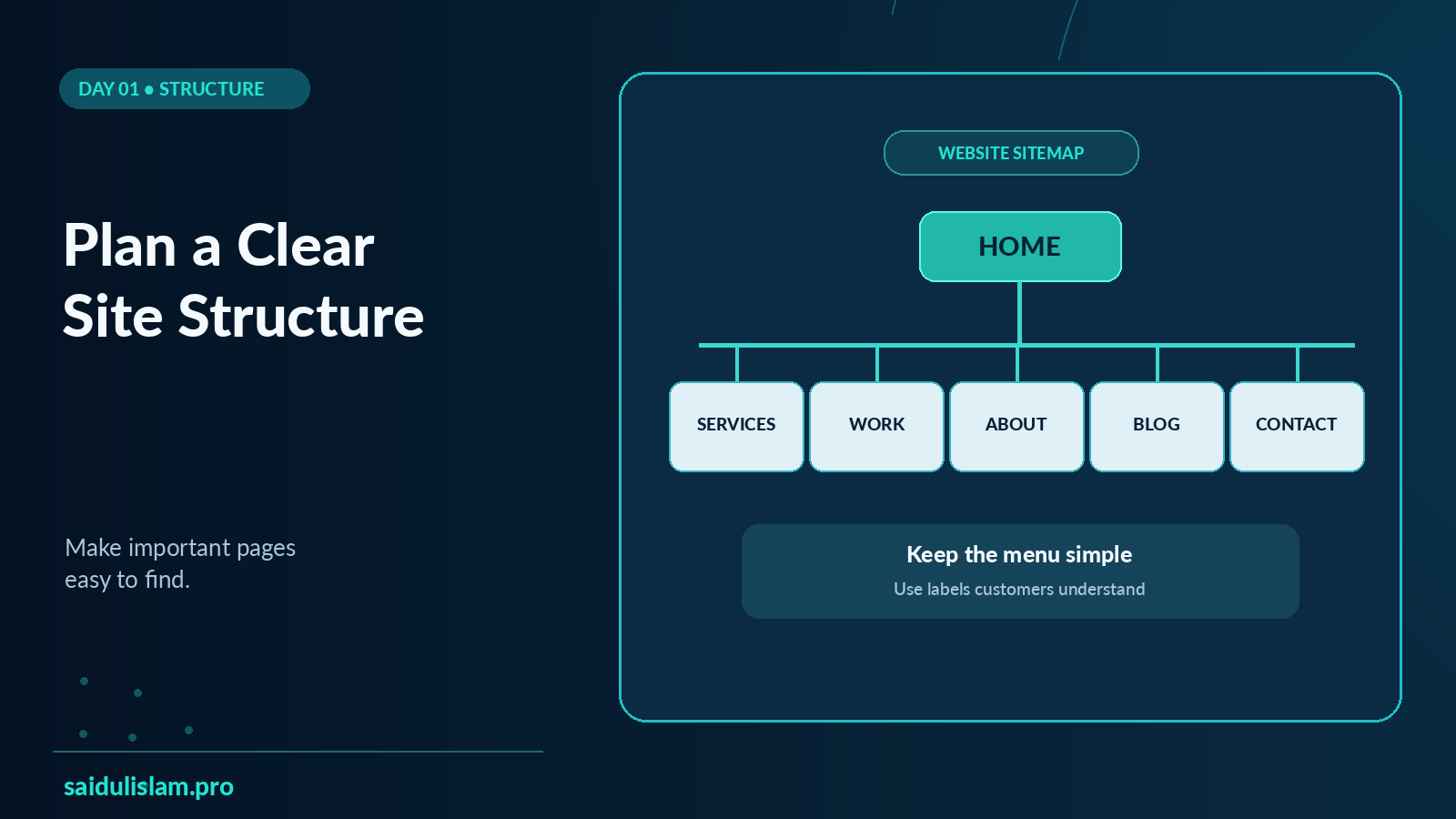
A website sitemap and navigation hierarchy
Check the flow on a phone. If someone needs several taps to reach a service or product category, the menu may need simplifying.
You can review how a dedicated service page is presented here: https://saidulislam.pro/services/wordpress-website-development/
Design the Mobile Experience First
A desktop layout may look polished while failing on smaller screens. Test the header, menu, forms, buttons, and content blocks on real phones.
Make tap targets easy to use. Use readable text and spacing. Check that key information does not disappear behind sliders, sticky bars, or large decorative elements.
A visitor should understand your main offer without scrolling through a long visual introduction. Put the next useful action near the information that supports it.
Accessibility is part of this work. Provide descriptive labels for forms, visible keyboard focus, sufficient text contrast, and helpful alt text for informative images.
Ask someone unfamiliar with the site to complete one task. Watch where they hesitate. That observation can reveal issues a design review misses.
Check Speed and Core Web Vitals
Your new website should feel responsive in real use, not only look lighter in a design file.
Review images, fonts, third-party scripts, hosting performance, caching, and the number of unnecessary plugins. A large hero image or extra animation can delay useful content.
Google’s Core Web Vitals cover loading experience, interaction responsiveness, and visual stability. The metrics include Largest Contentful Paint, Interaction to Next Paint, and Cumulative Layout Shift. Use real-user performance information when available. Lab tools can then help you investigate a slow page or unstable layout.
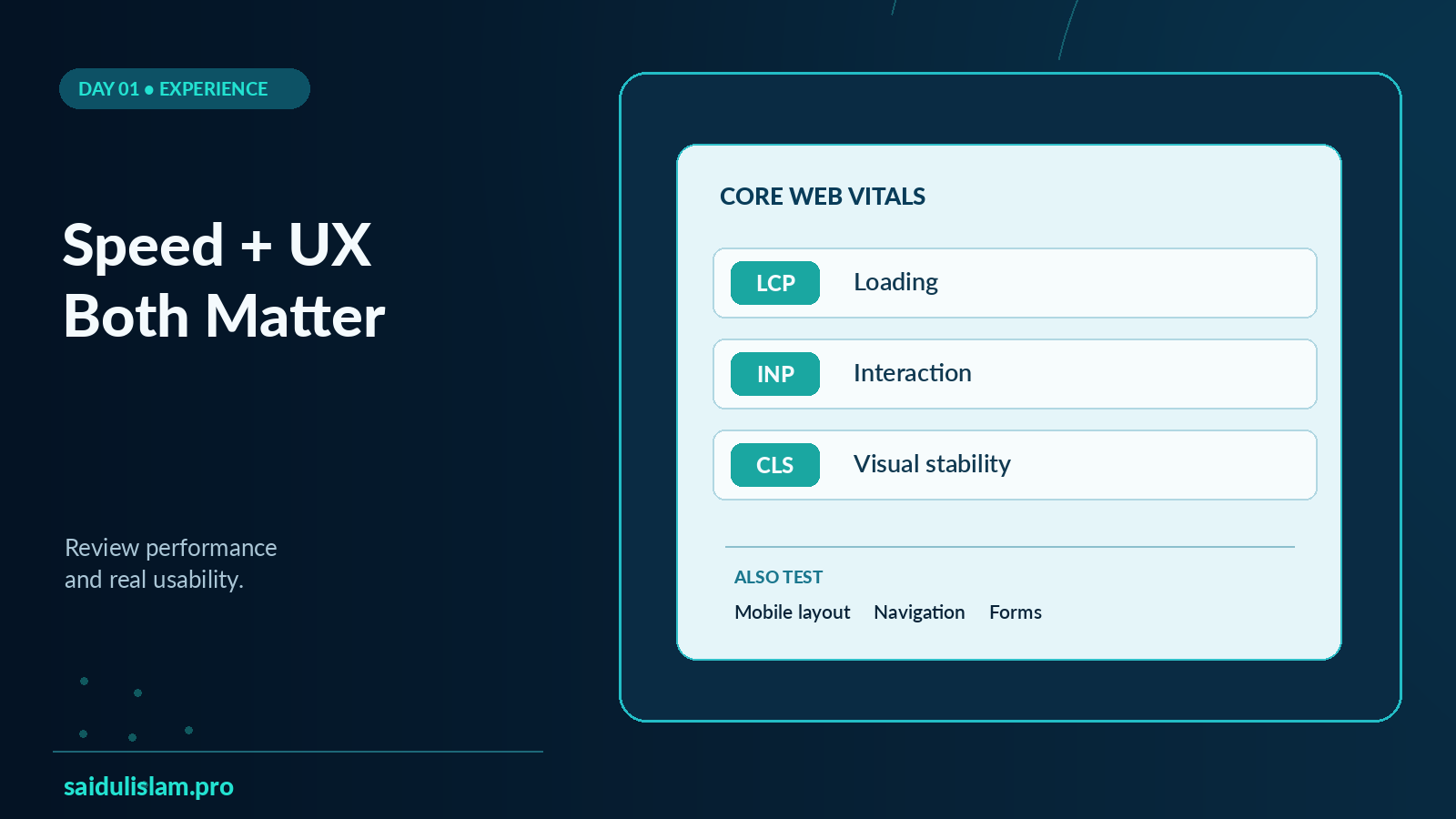
Website speed and mobile usability audit
For a practical reference, see Google’s Web Vitals guide: https://web.dev/articles/vitals
If speed is already your biggest concern, decide which pages matter first. The homepage, main service page, and high-traffic landing pages are often sensible starting points.
Protect SEO During the WordPress Redesign
A redesign can change URLs, page content, navigation, and internal links. Each of those changes needs a plan.
Keep useful URLs when possible. If a page moves, map its old URL to the most relevant new destination and set an appropriate permanent redirect.
Do not send unrelated deleted pages to the homepage just to avoid an error. Check that your new website does not accidentally block search engines or leave important pages marked noindex.
Review the new page titles, meta descriptions, canonical tags, and internal links. Update the XML sitemap when appropriate. Test redirects instead of assuming they work.
Google’s site move guidance explains the process: https://developers.google.com/search/docs/crawling-indexing/site-move-with-url-changes
WordPress SEO work should also match search intent. A page meant to sell a service needs clear service information; a helpful blog post should solve a specific question.
If you need a broader review, see the SEO service page: WordPress website development services.
Make Conversion Paths Easy to Follow
For each main page, ask whether a visitor can find three things: what you offer, why it is relevant, and what to do next.
Place a focused call to action near the section where visitors have enough information to decide. A service page might offer a short consultation form. A product page might need visible delivery and return information.
For examples of the kind of work a business portfolio can show, see: https://saidulislam.pro/work/
Test Everything Before You Launch
Create a short checklist and assign someone to sign it off. Test on staging before replacing the live website.
Check the full visitor journey:
- Navigation, footer links, and buttons work.
- Contact forms send and deliver messages correctly.
- Mobile layout works on key page templates.
- Images load and use meaningful alt text.
- The key pages have unique titles and useful copy.
- Redirects, canonical URLs, and indexability are correct.
- Analytics and important conversion events work.
- Backup and rollback procedures have been tested.
- If a store is included, cart, checkout, and order emails work with the configured settings.
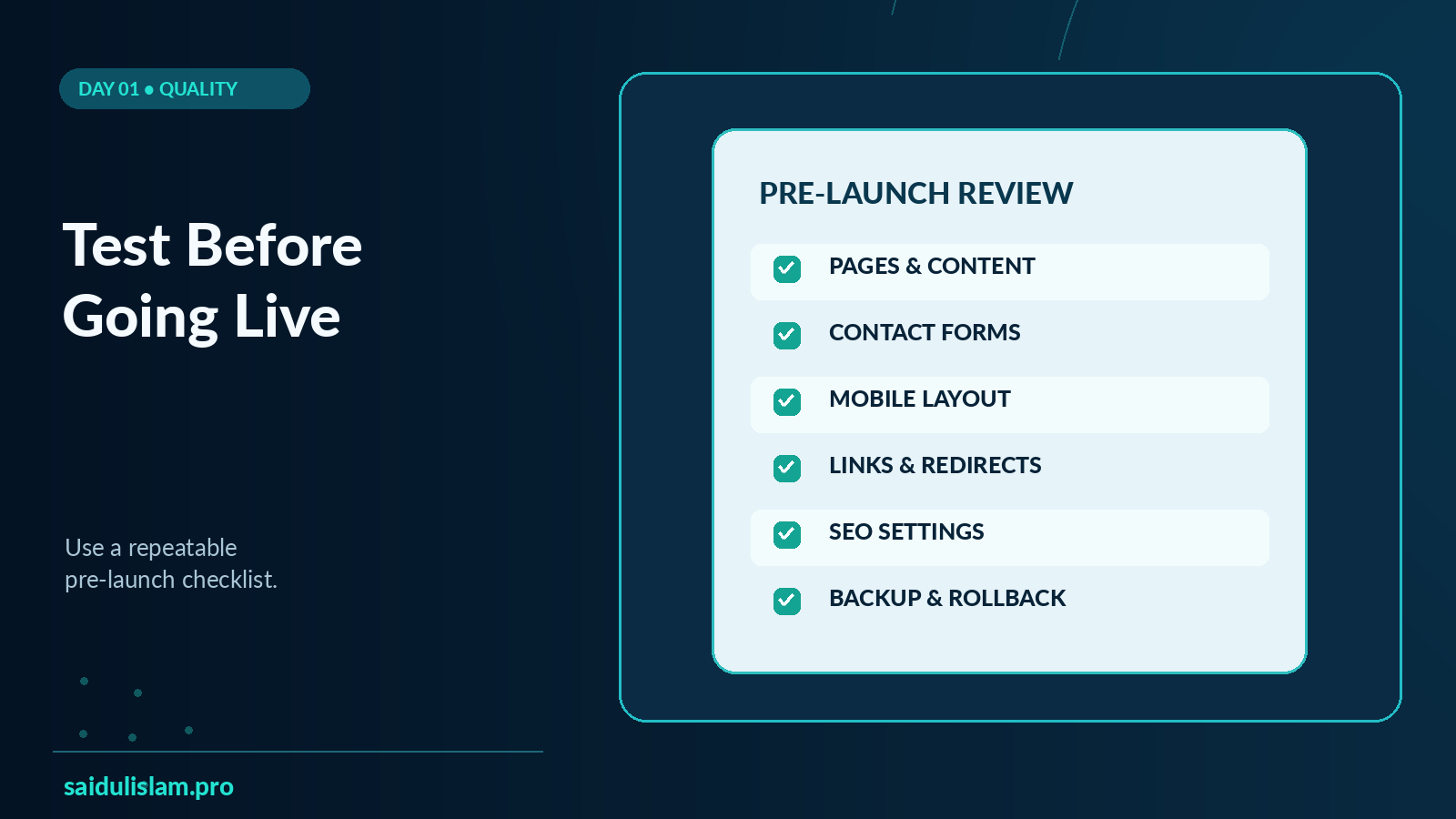
Ask the business owner to review important pages before launch. A working website still needs correct contact details, useful service descriptions, and up-to-date policies.
Review the Site After Launch
Do not stop checking once the new design is live. Look at contact-form submissions, errors, search indexing, and important conversion paths.
Watch for unexpected changes in organic visibility. Some changes may take time to appear in search reporting. Investigate broken pages, missing redirects, and new usability problems early.
Give one person responsibility for updates, backups, security checks, and routine content changes. You can explore what ongoing support includes here: WordPress website maintenance services.
Quick WordPress Redesign Checklist
Before design: confirm business goals, audit current URLs, save important content, and approve the sitemap.
During the build: create clear page templates, write useful copy, test mobile navigation, and check performance.
Before launch: verify forms, links, redirects, metadata, analytics, backups, and accessibility.
After launch: monitor search visibility, enquiries, broken pages, and user feedback.
Common Questions
Do I need a full redesign or only a few improvements?
Start with an audit. If the current website is structurally sound, fixing navigation, content, or speed may be enough. A full redesign makes more sense when the core structure prevents useful improvements.
Can a redesign affect SEO?
Yes. Removing pages or changing URLs without a plan may affect search visibility. A careful migration process reduces avoidable problems but cannot guarantee unchanged rankings.
Should I use Elementor or the WordPress block editor?
Both can be useful. Your choice should depend on the theme, editing needs, performance requirements, and maintenance plan. Test the actual implementation instead of assuming one editor is always faster.
How do I choose a WordPress redesign partner?
Ask for a clear scope, staging process, SEO migration checklist, testing plan, and post-launch support terms. Make sure you understand who owns your website files and access.
Need Help Planning a Website Redesign?
A useful redesign begins with what your visitors need to do. If you want help reviewing your current site and planning the next version, explore the WordPress development service or book a consultation.
Consultation: https://saidulislam.pro/book-a-free-consultation/